East China Cloud Drive Data Migration to Northwest Zone 1
1. Create an Instance in Northwest Zone 1
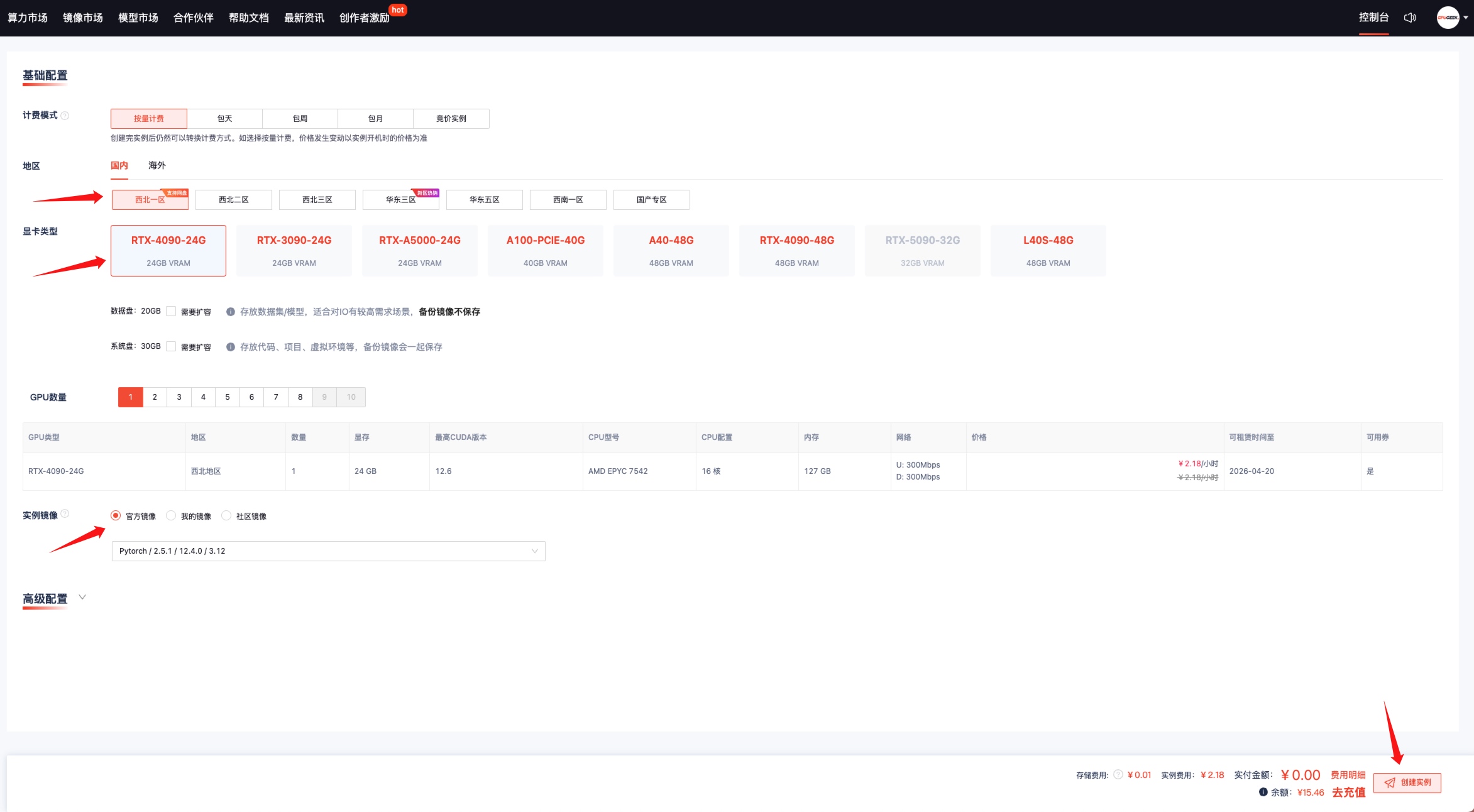
- Click the homepage Console
- Click Create Instance
- Region — Domestic — Northwest Zone 1
- GPU Type — Choose Any
- Select Instance Image — Choose Any
- Create Instance
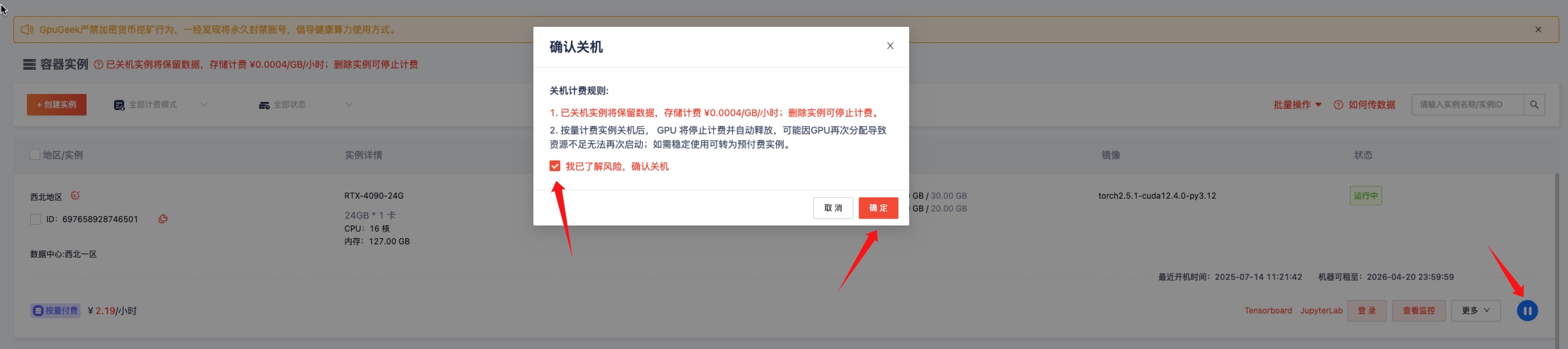
After the instance is created, you can first shut it down, and then restart it using the No-GPU Boot option to perform data migration. No-GPU boot costs 0.1 RMB/hour, which can significantly save usage costs.
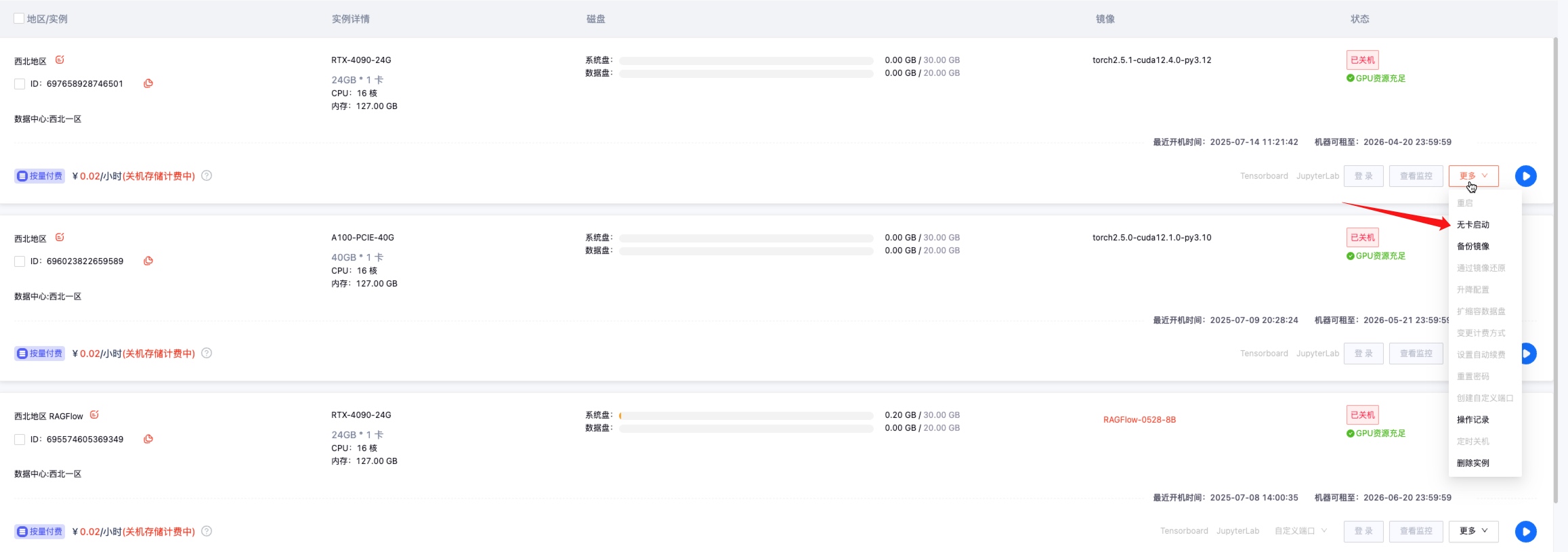
Click More → No-GPU Boot
2. Log in to the Instance and Install gz-cli Client
In the console, click JupyterLab to automatically jump to the terminal.

# Enter the following commands in the terminal to install the gz-cli command-line tool
curl -o gz-cli http://oss-high-qy01.cdsgss.com/public-static-prod-gpuzoom/installation/gz-cli/latest/gz-cli-linux-amd64
chmod +x gz-cli
sudo mv gz-cli /usr/local/bin/

3. Download East China Zone 1 Cloud Drive Data to Northwest Zone 1 Cloud Drive
Log in to the cloud drive using the gz-cli command — Select East China Zone 1

# Log in to the cloud drive
(base) root@gz-ins-697658928746501:/# gz-cli login --user=16666666666 --password=xxxxxxxxxxx
gz-cli: Login successful

# Select datacenter region
(base) root@gz-ins-697658928746501:/# gz-cli dc
? Choose a datacenter: suqian-b

# View data content in East China Zone 1 cloud drive
(base) root@gz-ins-697658928746501:/# gz-cli ls
[2024-12-10 21:05:54 CST] 1.7GiB suqian-b ollama-linux-amd64.tgz

# Download data file from East China Zone 1 cloud drive to /gz-fs/ directory in the current Northwest Zone 1 instance
# Note: Currently, downloading directories from the cloud drive is not supported. Only file downloads are supported.
(base) root@gz-ins-697658928746501:/# gz-cli get /ollama-linux-amd64.tgz /gz-fs/

# Check downloaded data file
(base) root@gz-ins-697658928746501:/# ls -lrht /gz-fs/ | grep ollama
-rw-r--r-- 1 root root 1.8G Jul 14 18:29 ollama-linux-amd64.tgz

4. Verify the Downloaded Data File
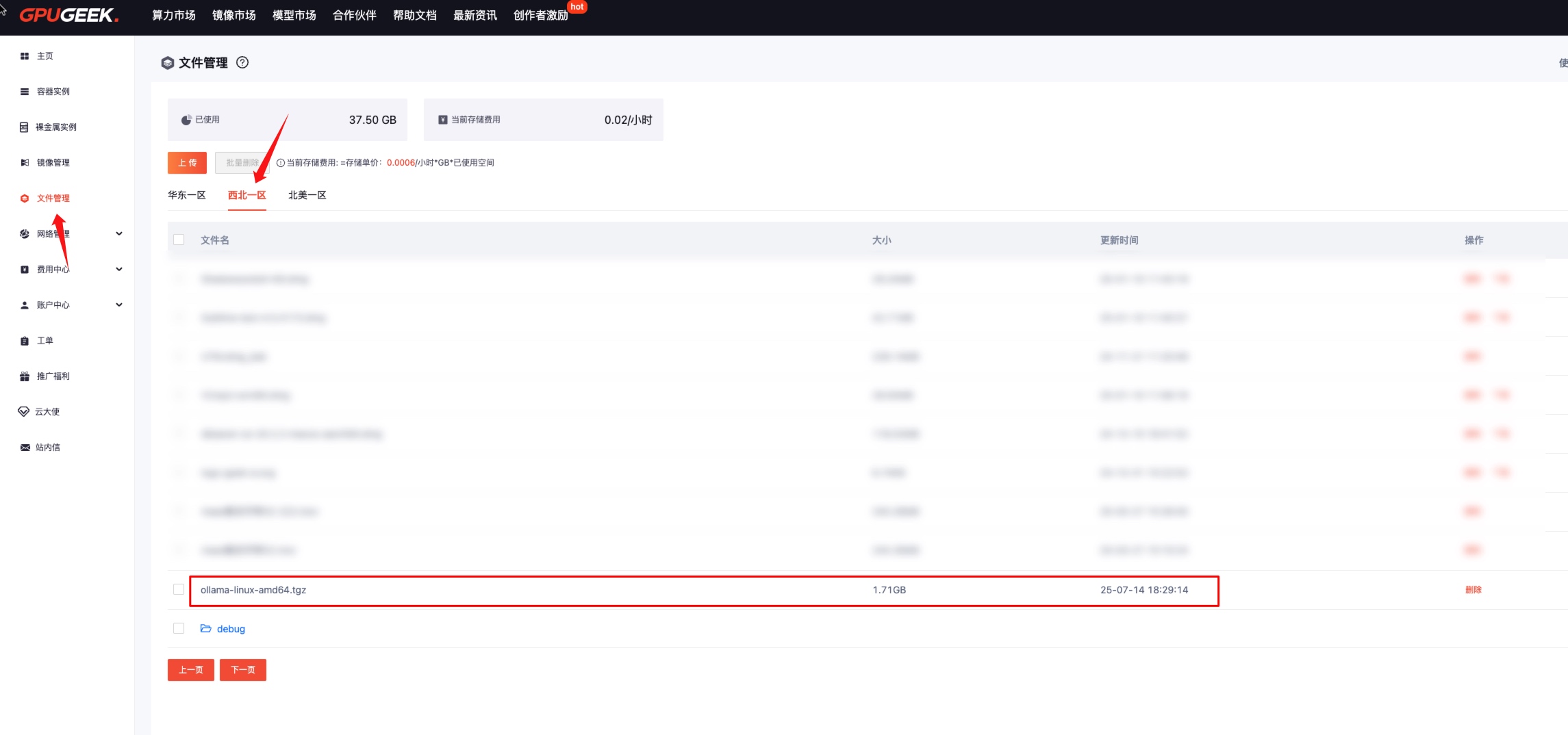
In the Console — 【File Management】 — 【Northwest Zone 1】, check the data successfully downloaded from East China Zone 1 cloud drive.
5. Clean Up and Delete Data Files from East China Zone 1 Cloud Drive
After downloading and saving all East China Zone 1 cloud drive data files to Northwest Zone 1, you must clean up and delete the data files in East China cloud drive to avoid continued storage charges.
# Delete a specific single file from the cloud drive
(base) root@gz-ins-697658928746501:/# gz-cli rm /ollama-linux-amd64.tgz
Removed `/ollama-linux-amd64.tgz`.

# Delete an entire directory from the cloud drive.
# Example: Delete the sample-directory directory from East China Zone 1 cloud drive,
# including files UTM.dmg_000 and test.py within it.
(base) root@gz-ins-697658928746501:/# gz-cli rm -r --force /sample-directory
Removed `gpuzoom/gpuzoom-user-data/xxxxxxxxxx/sample-directory/UTM.dmg_000`.
Removed `gpuzoom/gpuzoom-user-data/xxxxxxxxxx/sample-directory/test.py`.