Custom Environment
1. Create a New Instance
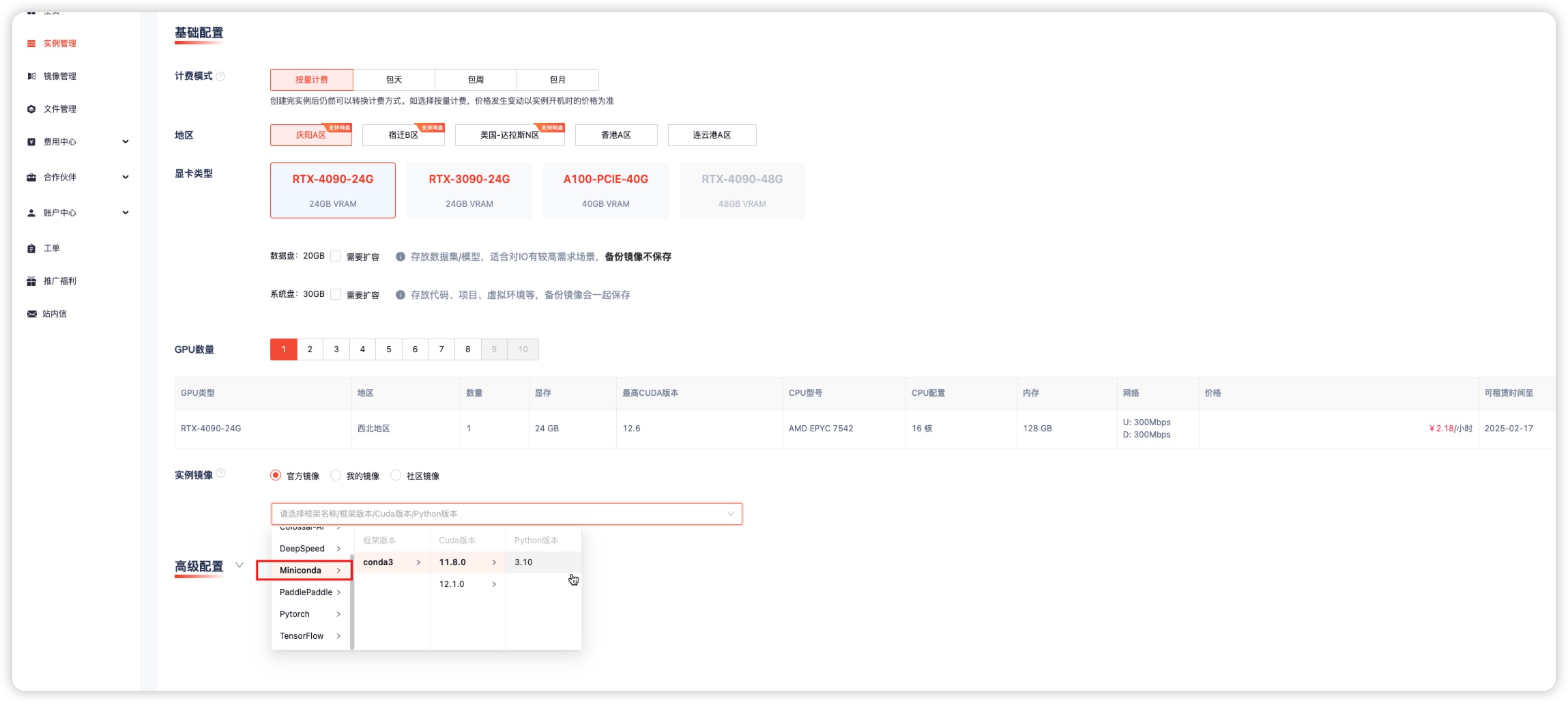
If the platform image does not contain the required versions of Python, Cuda, or frameworks, you can choose Miniconda and then install the environment according to your needs.
2. Install Python
Log in to the instance terminal and create a virtual environment with the required Python version.
conda create -n gpugeek python==3.8.10
conda activate gpugeek
python3 --version
Python 3.8.10
3. Install Cuda
Install the required Cuda version.
Go to NVIDIA to download the required CUDA Toolkit installer.
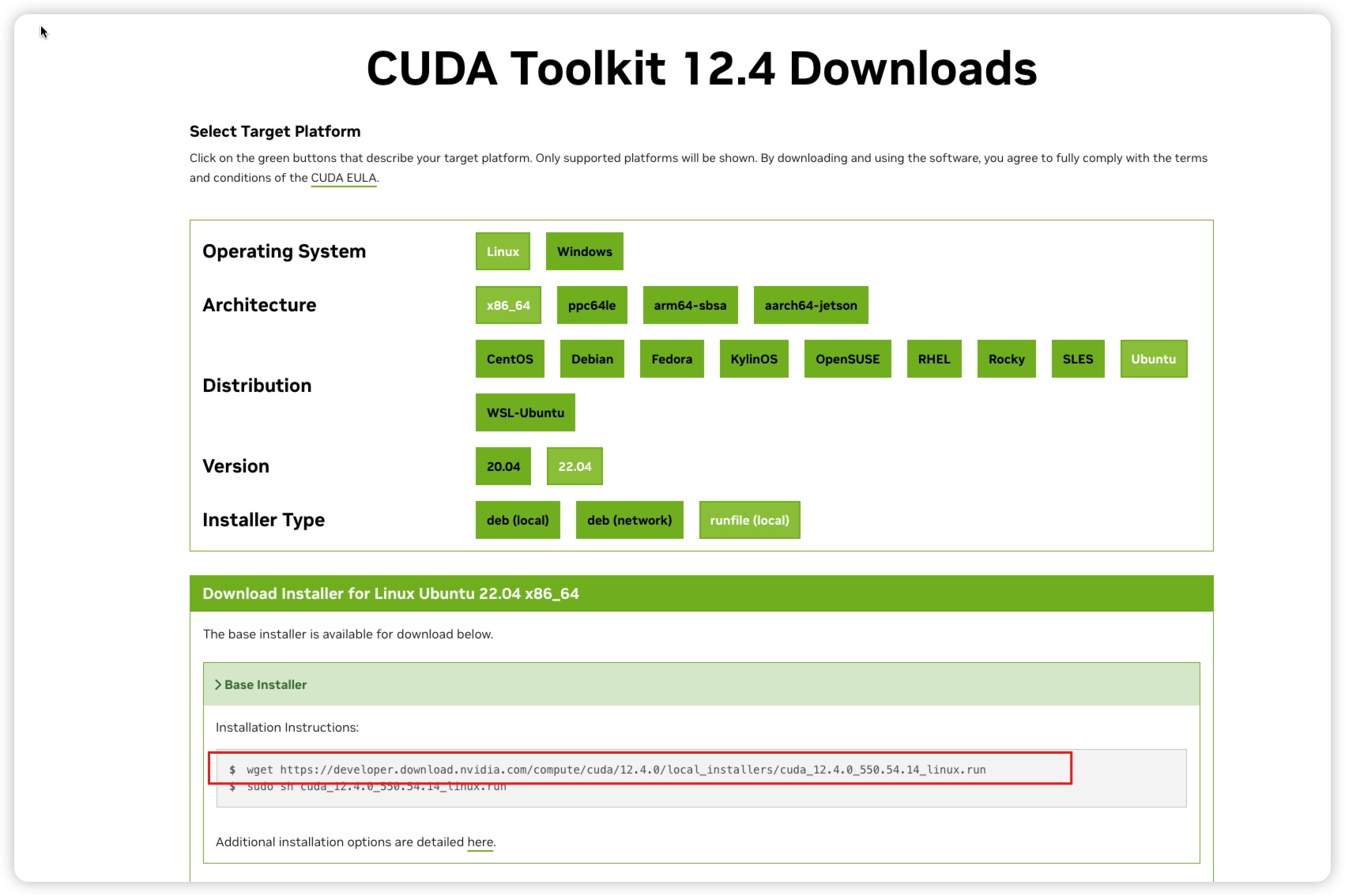
Copy the command from the above image, then download and run it in the terminal. Before downloading, you can use Academic Resource Acceleration.
wget https://developer.download.nvidia.com/compute/cuda/12.4.0/local_installers/cuda_12.4.0_550.54.14_linux.run
sh cuda_12.4.0_550.54.14_linux.run --silent --toolkit && rm cuda_12.4.0_550.54.14_linux.run
Verify the newly installed Cuda version:
nvcc -V
nvcc: NVIDIA (R) Cuda compiler driver
Copyright (c) 2005-2024 NVIDIA Corporation
Built on Tue_Feb_27_16:19:38_PST_2024
Cuda compilation tools, release 12.4, V12.4.99
Build cuda_12.4.r12.4/compiler.33961263_0
4. Install Frameworks
Install the required frameworks and versions as needed.
pip config set global.index-url https://mirrors.aliyun.com/pypi/simple
pip install torch==2.4.0 torchvision==0.19.0 torchaudio==2.4.0 --index-url https://download.pytorch.org/whl/cu124
5. Install Other Environments
The versions of Python, Cuda, and frameworks mentioned above should be installed according to your needs. The above steps are only installation examples.
6. Verify Installed Versions
(gpugeek) root@gz-ins-636197260402693:~# cat check_version.py
import torch
import sys
x = torch.rand(5, 3)
print("Result:", x)
print("CUDA is available:", torch.cuda.is_available())
print(torch.zeros(1).cuda())
print("GPU available numbers:", torch._C._cuda_getDeviceCount())
print("PyTorch version:", torch.__version__)
print("CUDA version:", torch.version.cuda)
print("Python version:", sys.version)
cudnn_version = torch.backends.cudnn.version()
print(f"cuDNN version: {cudnn_version}")
print("NCCL version:", torch.cuda.nccl.version())


(gpugeek) root@gz-ins-636197260402693:~# python check_version.py
Result: tensor([[0.7838, 0.1052, 0.2517],
        [0.0549, 0.0639, 0.9170],
        [0.8569, 0.8401, 0.7786],
        [0.2685, 0.7826, 0.3778],
        [0.5491, 0.1513, 0.2379]])
CUDA is available: True
tensor([0.], device='cuda:0')
GPU available numbers: 1
PyTorch version: 2.4.0+cu124
CUDA version: 12.4
Python version: 3.8.10 (default, Jun  4 2021, 15:09:15)
[GCC 7.5.0]
cuDNN version: 90100
NCCL version: (2, 20, 5)